Available on Android and iPhone
Stubborn about getting it done.
A cheerful app for the jobs that have to happen on time. Share the job, and nobody has to ask “did you do it?” again. It keeps going until someone marks it done, and everyone else is told.
- At an exact time, or at the end of a daytime window
- Shared with the people who have accepted
- One tap closes it for everyone
- Skip one repeat, and keep the next
- Done from the widget or the notification, without opening the app

How it works
Create it, pick who goes first, let it chase.
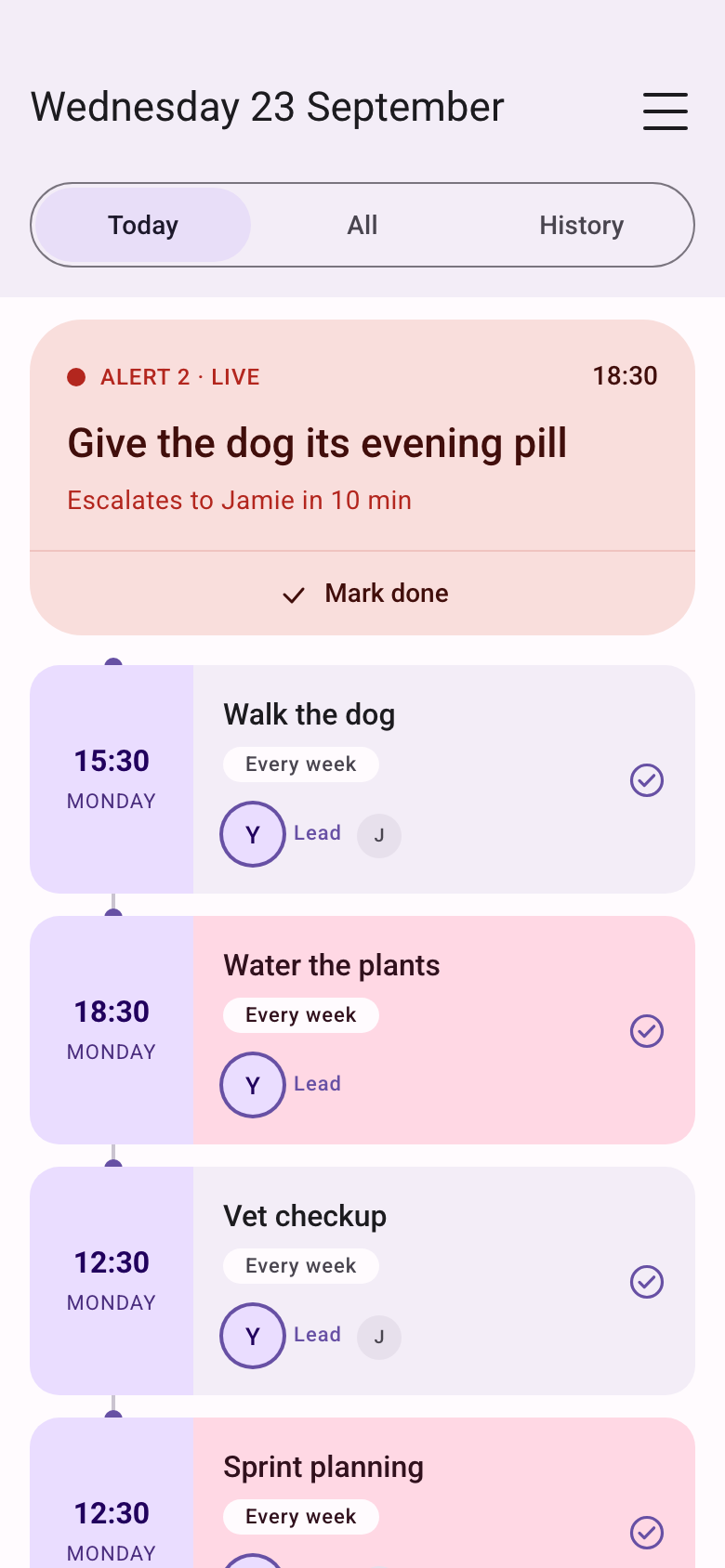
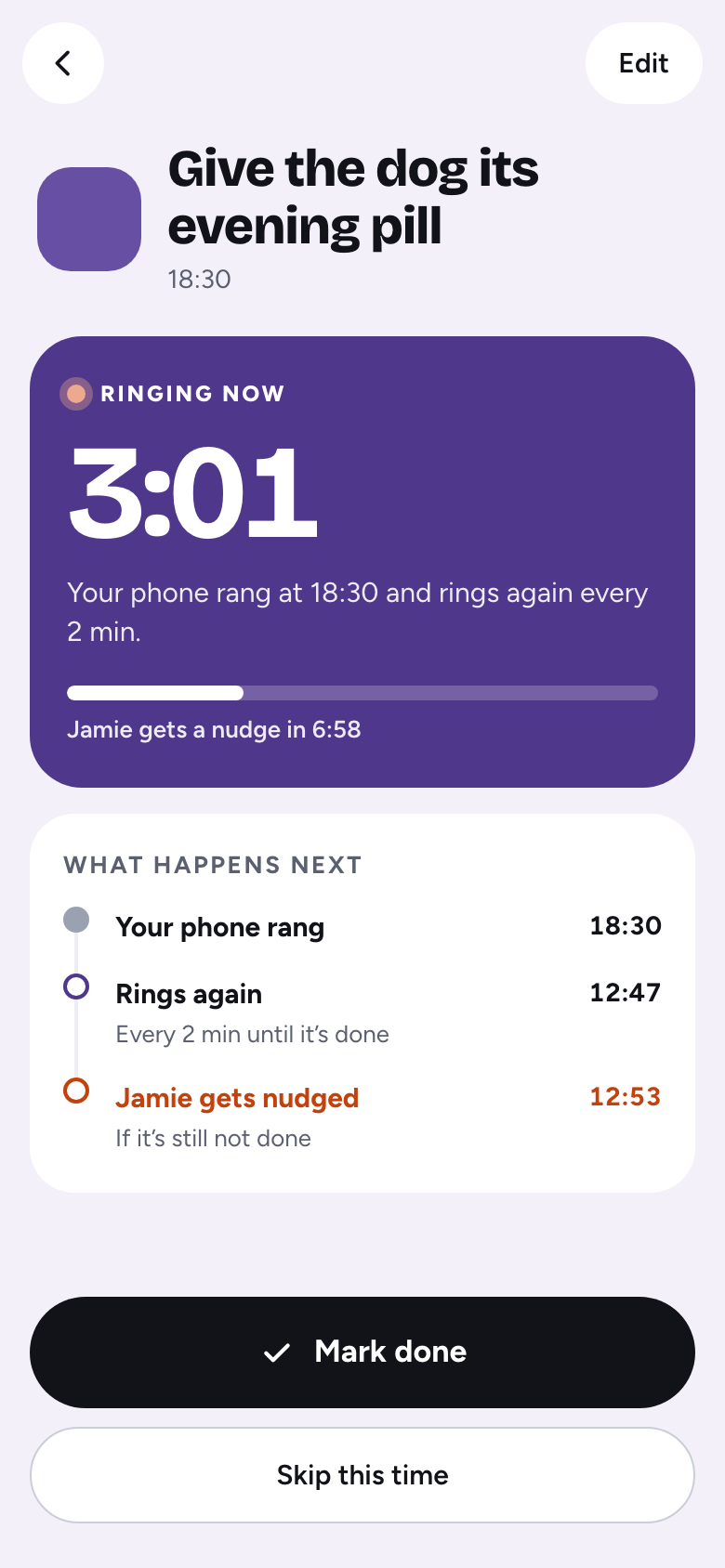
Create the event, decide who is nagged first, then let the alert do the chasing. See a full day with a dog’s heart medicine.
-
Create the event
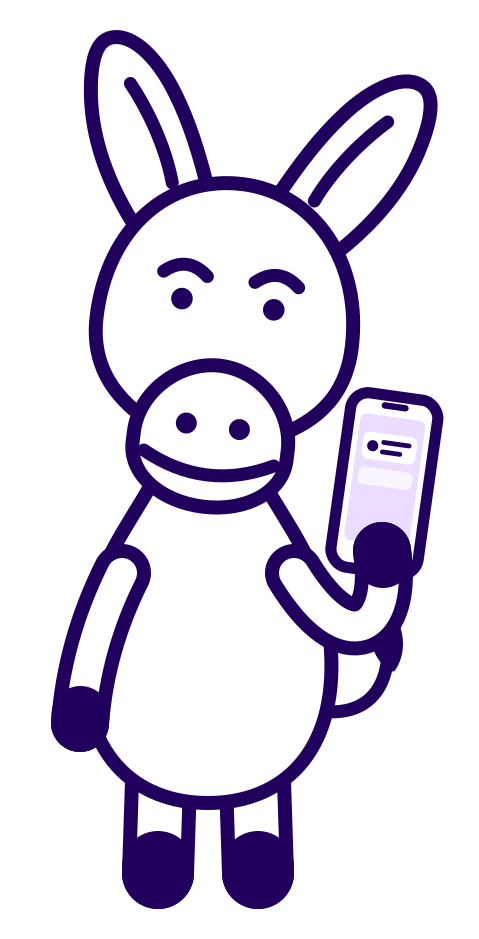
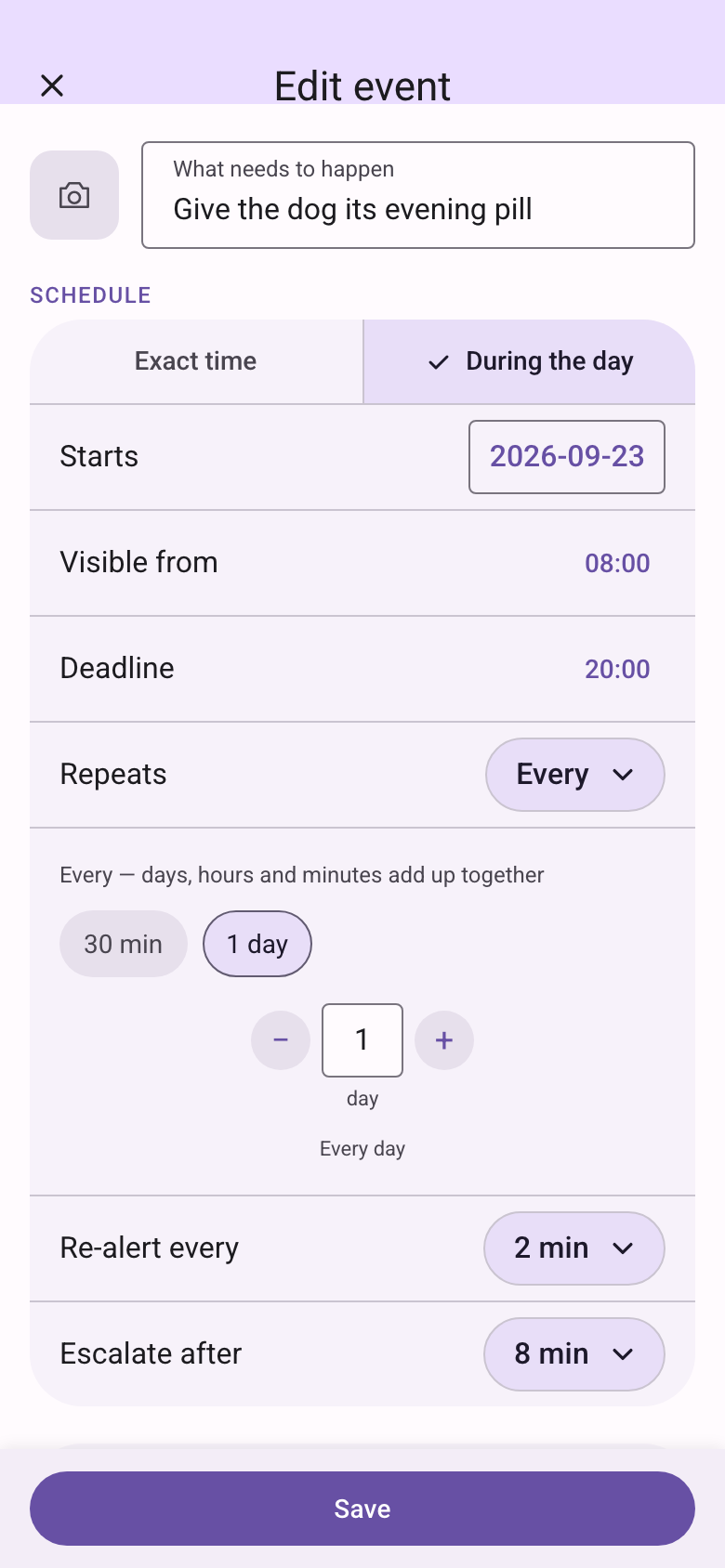
A name, an optional photo, and a time. Exact, or during the day. Once, or on a repeat.
-
Choose who goes first
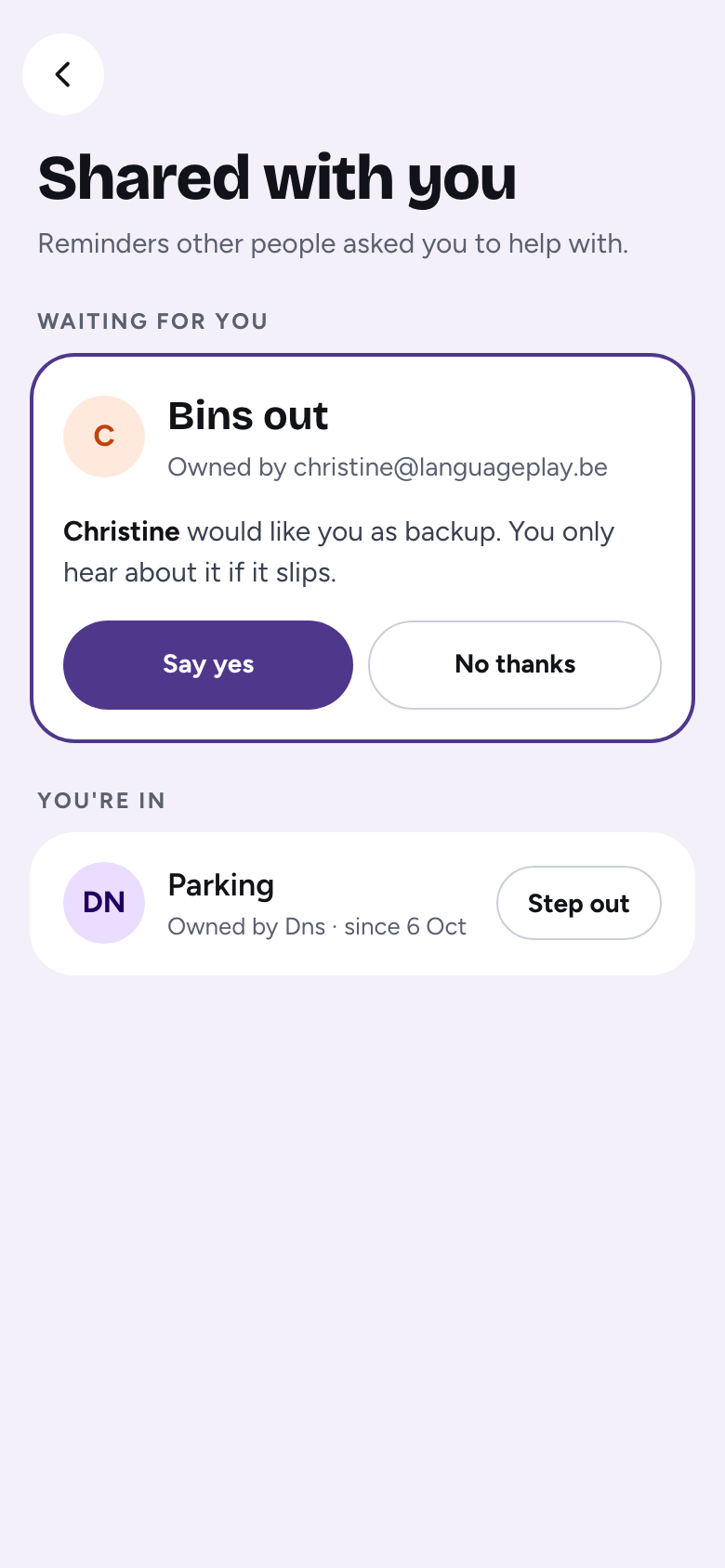
Invite by email. They accept before the alarm includes them. If they do not finish it, everyone else is alerted.
-
The phone keeps going
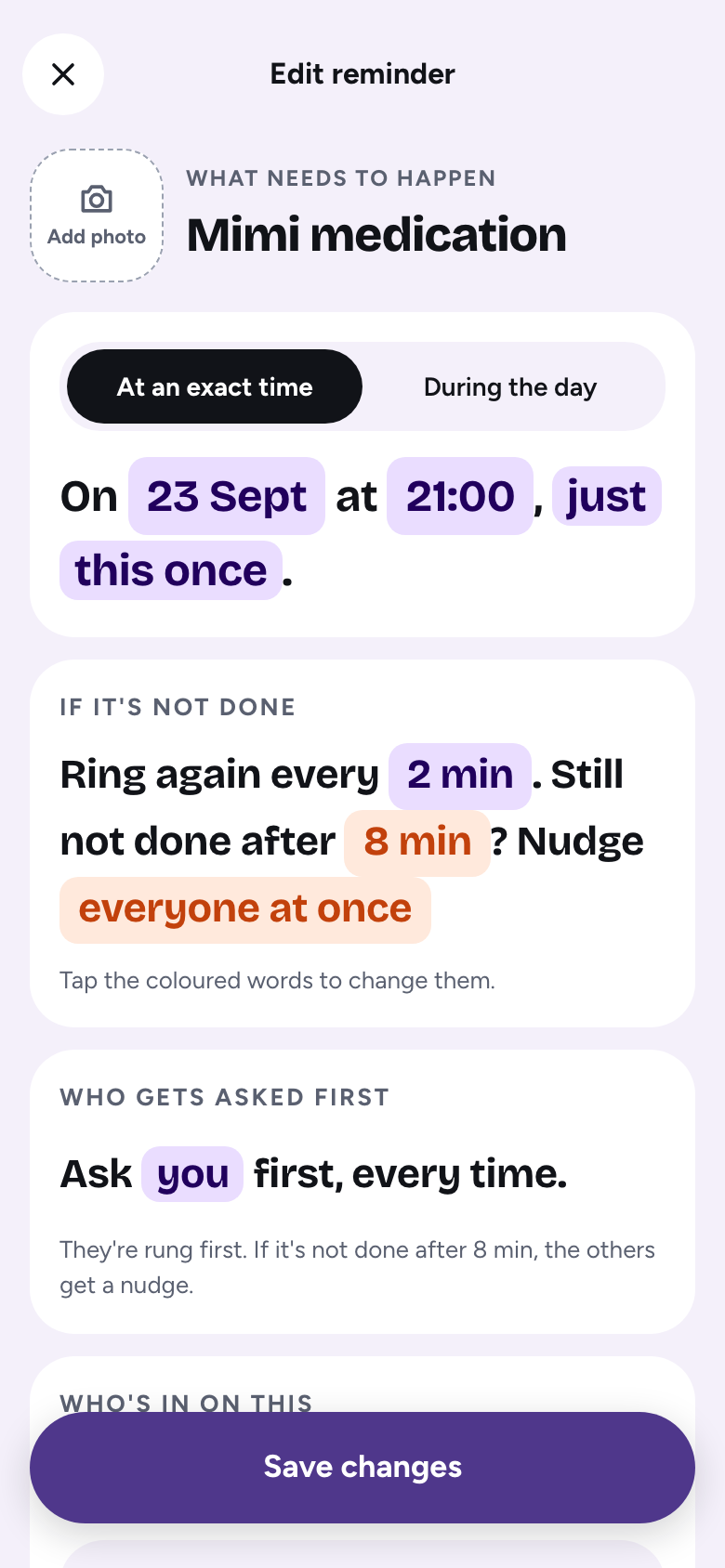
An alarm, then again every 2, 5, or 10 minutes (you choose), until the job is done, skipped, or missed.
-
One tap closes it
Done is for the whole group, and everyone sees who did it. No more “did you do it?” Skip closes only this one time.
What it does
Nag until it is done.
Then call in everyone else if the first person does not finish it. Longer answers sit in FAQ.
- Exact time
- The alarm starts then. You can mark it done from 15 minutes before.
- During the day
- Quiet from the moment it opens. The alarm starts only if it is still open at the deadline.
- Repeat
- Days, hours, and minutes add together. Or weekdays, weekends, or chosen days.
- The alarm
- Rings again every 2 minutes, or every 5 or 10 if you choose, for up to 30 minutes. Then that time is missed.
- The big button
- Doing it now or Done: you choose which one is big when a reminder rings. Doing it now is the default. It is a setting in the menu.
- Who goes first
- The same person, take turns, whoever usually finishes first, or a different person each day.
- Then everyone else
- After 6 to 20 minutes, depending on how often it rings. You cannot pull them in early.
- Lists
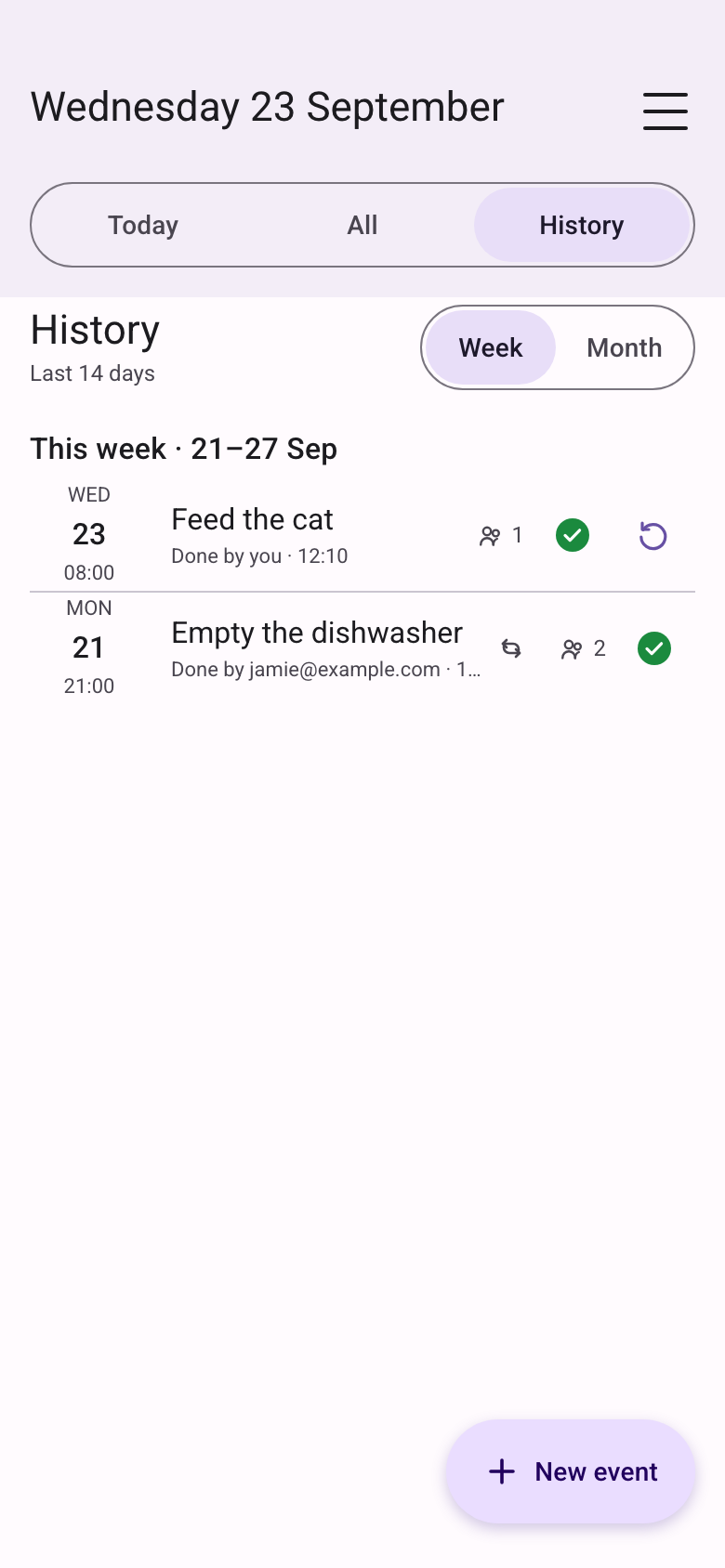
- Today is this day. All is still to come. History opens on Lately, the last 20 times of each reminder, with Week and Month beside it, and each past time opens its log.
Away from the app
Most of the time, you never open it.
The alarm reaches you on the home screen, on the lock screen, and in another time zone.
- Home-screen widget
- The next things you can mark done, each with its own Done button. Small or medium, on iPhone and Android.
- Done from the notification
- Tap Done on the alarm itself, or Doing it now if you made that the big button. On Android Done reaches the others straight away, so their alarms stop, even with the app closed.
- iPhone alarm screen
- On iOS 26 and later, the reminder rings on Apple’s alarm screen, over the lock screen. Stop silences it. The nag keeps going until someone taps Done.
- Travelling
- An event rings on its own clock, for everyone on it. Abroad, each row also shows “07:00 your time”, and the app asks once: move your events to local time, or keep home time.
- Who usually finishes
- After three Done taps, the event says “Jamie usually finishes in 4 min · you in 12 min”.
- The log
- Every past time keeps a read-only record: when it rang on each phone, a snooze, and who marked it done.
- Weekly email
- Optional, on Monday morning: what was done, missed, and skipped, and who did most. Off until you turn it on.
- Alarms stay allowed
- Each time it opens, the app checks the permissions alarms need, and asks again if one was switched off. Signed out? Reminders on this phone keep ringing.
Smart Timezones
One moment, every clock.
Friends in Toronto, a flat in Tokyo, a week in Singapore. The reminder still rings once, and everyone sees what time it is for them.
- Your time, on every row
- “03:00 for you”, and “03:00 for Tom” for the owner. Emails say it too.
- Asked only at night
- The owner gets one question when it would ring between 22:00 and 07:00 for someone. Any other gap is just shown.
- Travel and holidays
- Move your reminders or keep home time. On holiday, others take your turns. Every case, explained.
Screens
The app, as it is today.
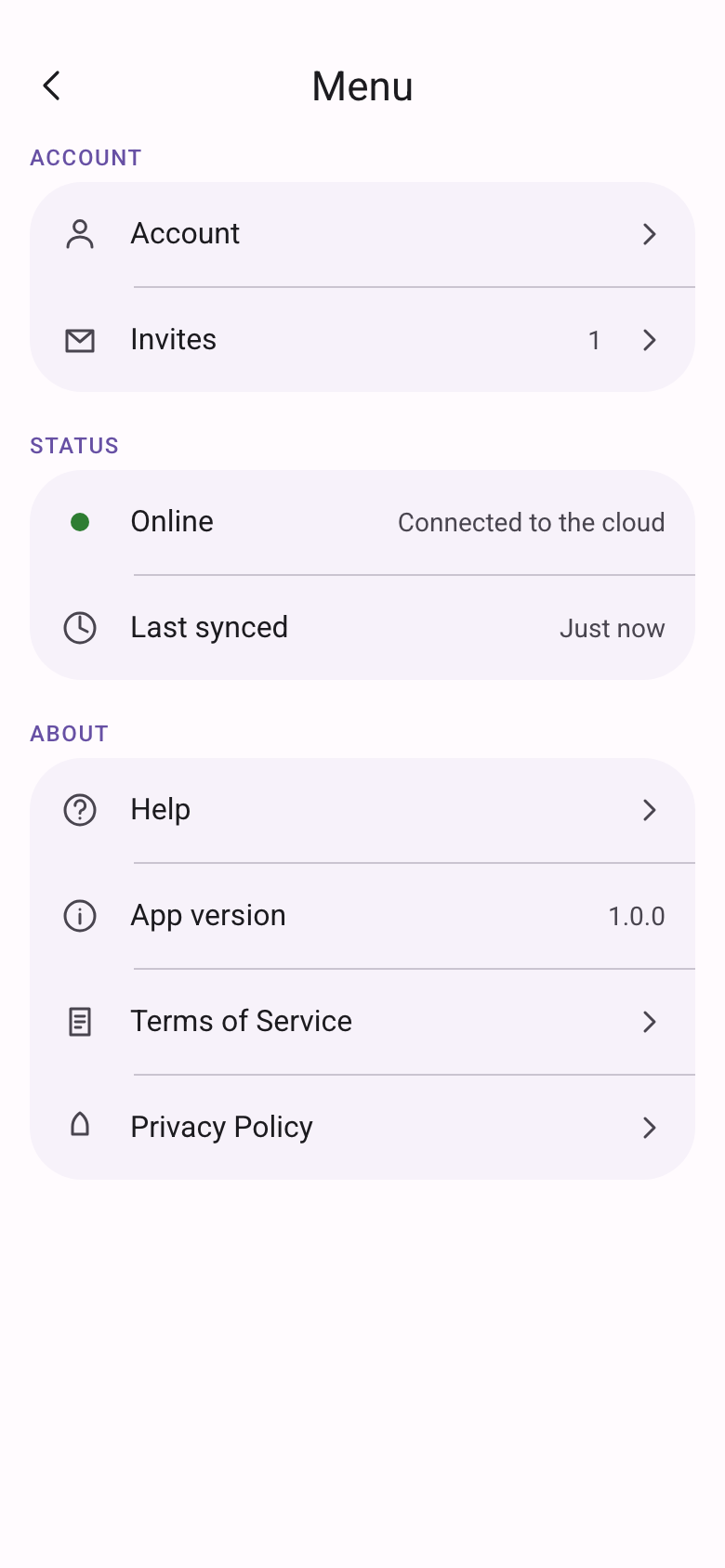
Today, saying a reminder out loud, the live alarm, history, how an event is set up in one sentence, invites, and the menu.
Good for
The jobs that slip.
The same stubborn alert, for the household tasks people actually search for.
- School runStays up until a grown-up marks the children collected.
- MedicineA clock time, or any time before a deadline. A reminder, not a medical device. See it with the dog’s heart medicine.
- Bin nightIt will not sit quietly while the lorry goes past. Skip a week that is already done.
- LaundryA repeat, and a turn, so it is not always the same person.
- FlatmatesAnyone who accepts can be on it. One Done tells the rest.
Coming next
What we want to add.
None of this is in the app yet. Tell us what would help you most, and it moves up the list.
- An SMS when your phone is offline
- No mobile data, no signal for the app? A text message still reaches you, and the alarm can keep going.
- Say it to set it
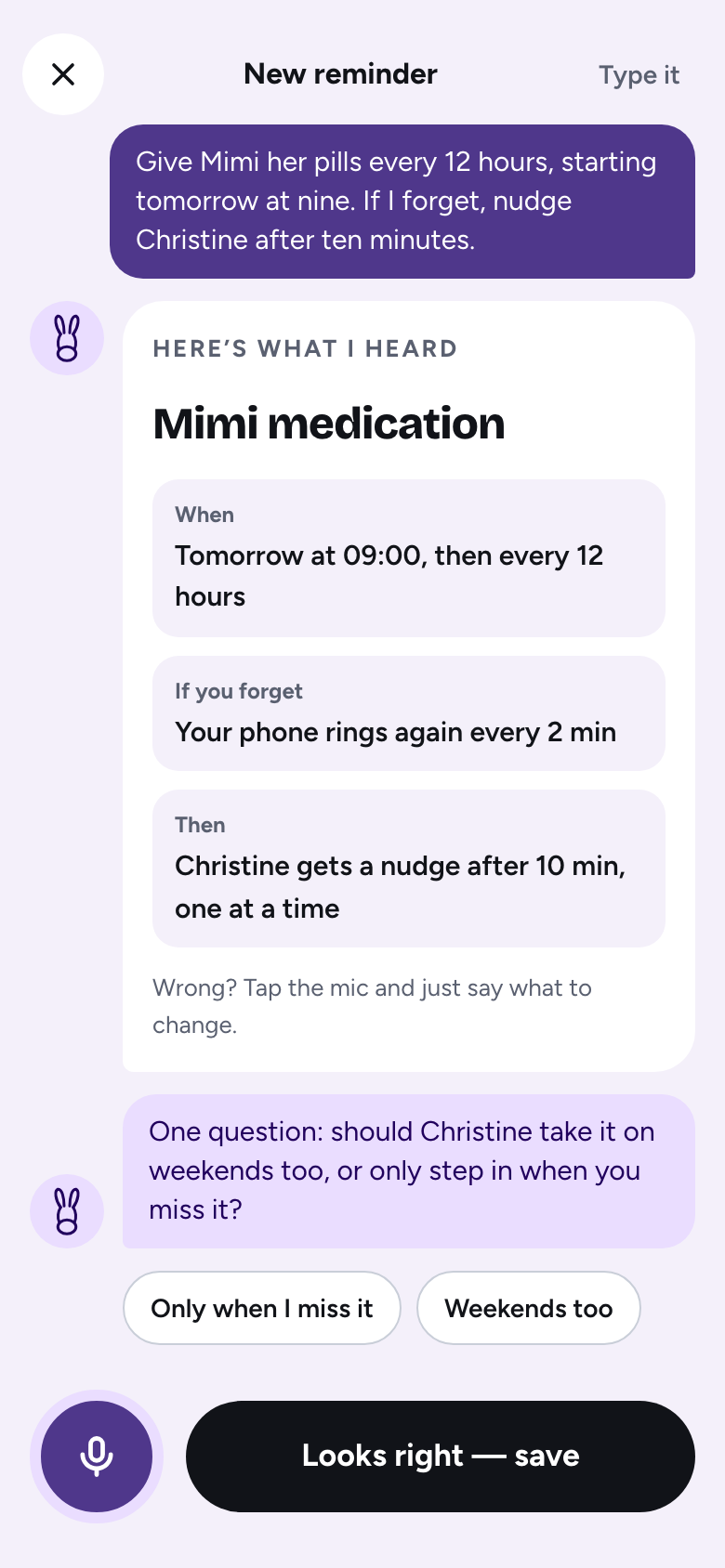
- Dictate the reminder out loud: “Give the dog its pill at 18:30, every day.” The app fills in the event, and you check it.
- Your idea here
- Something that keeps slipping and the app does not help with yet? Write to us. A real person reads it. Send a suggestion
Do you collect or sell my data?
We keep your email, the event, who is on it, and whether the alarm reached each phone. No advertising, no tracking, no device ID, and we do not sell your data. The people on an event can see that event. The privacy policy lists every field.
What does Ok Donkey do?
You set an exact time, or a window during the day. The phone raises an alarm and re-alerts every 2, 5, or 10 minutes (your choice, 2 by default) until someone marks it done, skips that time, or the nag stops. A daytime event stays quiet until its deadline. One tap closes it for everyone. History opens on Lately, the last 20 times of each reminder, with Week and Month beside it.
When can a task be marked done?
Creating an event does not open it. An exact time opens 15 minutes before. A daytime window opens at the start you set, for example 08:00, and the alarm waits until the deadline. Before it is open, the app tells you to wait.
Who can share an event?
Family, a co-parent, flatmates, or friends. They accept under Menu, then Invites, before the alarm includes them. One person can go first, you can take turns, follow whoever usually finishes first, or give each day to a different person.
What if nobody marks it done?
The nag stops after 30 minutes. That time is missed, and everyone who has joined gets an email. A missed time can still be marked done for 30 minutes after it turns missed. Then it stays missed. If the event repeats, the next time is already on the list. Your own alarm can fire without a connection. On iPhone, Focus can hide the sound. Android asks for exact alarms.
What happens when I travel?
An event rings at one moment for everyone on it, on the clock of its time zone. When your phone is on another zone, each row also shows the time on your clock, such as “07:00 your time”. The app asks once whether to move the events you own to local time, or keep them on home time. Moving a shared event changes its time for everyone on it, and the question says so first.
What is Smart Timezones in Ok Donkey?
Smart Timezones is how Ok Donkey handles people on different clocks. A shared reminder rings at one moment for everyone on it, on the clock of its own time zone. Each person sees when it rings on their own clock, such as “03:00 for you”. The owner is asked only when it would ring at night for someone, between 22:00 and 07:00 on their clock. Travel and holidays are handled too. Every case, explained.
What happens to a shared reminder when I go on holiday?
Until you are back you are left out of the turns, the nudges, the hand-offs and the missed emails, on every phone. Others on shared reminders take your turns. A reminder only you are on stays quiet and is not counted as missed. You can set 3 days, 1 week, 2 weeks, or a date up to 90 days ahead. If everyone on a shared reminder is away at once, the owner is told once.
Can I mark it done without opening the app?
Yes. Tap Done on the alarm notification, or on the home-screen widget. On Android the Done goes straight to the others, so their alarms stop. On iPhone it is sent the next time the app syncs. Missed and nudge emails have an It’s done button too.
Can I choose which button is the big one on the alarm?
Yes. In the menu, under Biggest button when a reminder rings, pick Doing it now (the default) or Done. Doing it now means it rings again after your ring interval while you finish; Done closes it for everyone. The one you do not pick stays as the smaller button. It follows your account, on the alarm screen in the app and on the Android lock-screen alarm. iPhone draws its own lock-screen buttons and Apple does not let an app change them.
Can I say a reminder out loud?
Yes. Tap Say it on a new reminder and talk like you would to a friend: “Give Mimi her pills every 12 hours, starting tomorrow at nine. If I forget, nudge Christine after ten minutes.” Your speech is turned into text on the phone and the audio never leaves it. The words go to an AI in the cloud that fills in the title, time, repeat, rings and who is nudged. It reads it back, may ask one question, you can change anything by talking again, and one tap saves it. Type it opens the normal form instead.
What does it leave out?
Chat, a calendar, points, meals, and location. It is the alert, the people on it, and the tap that closes it. The comparison says when another app is the better fit.
How is it different from a normal reminder?
A normal reminder fires once. Ok Donkey keeps going until the job is done, then calls in everyone else. See it next to GetNotify, Cozi, Sweepy, Nipto, FamilyWall, Maple, and Apple Reminders.
Free on Android and iPhone
Ready when the job is.